


VPN Proxy Master - Safer Vpn
4.744.36K Reviews
App Specs
- Version
- 2.7.3
- Updated On
- License
- Free
- Downloads
- 100,000,000+
- Developer
- SECUREGUARD GROUP
- Categories
- Tools
- Platform
- Android, iOS
Screenshots
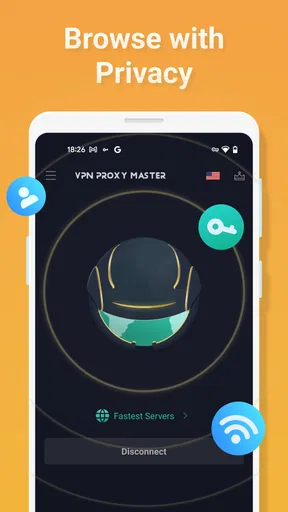
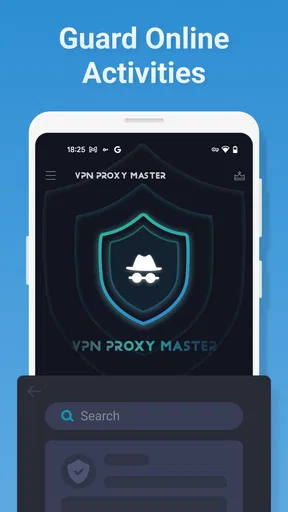
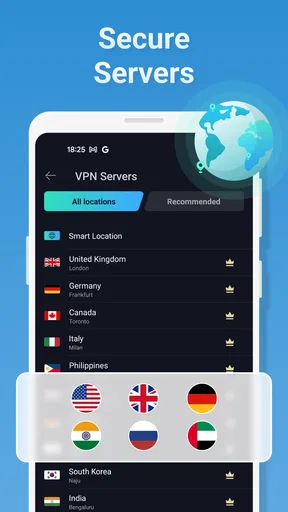
 Analysis by AppCompare
When I choose a VPN, I care less about impressive-sounding claims than about what happens when I switch it on during an ordinary day. The useful question is whether a private connection is easy to start and whether it fits the way I actually browse. VPN Proxy Master is a free tools app from SECUREGUARD GROUP, and its central appeal is straightforward: it offers a VPN connection for people who want a simpler way to add a layer of privacy while using the internet.
It has been around since October 10, 2017, and its current version is 2.7.3. The app is rated for Everyone, has a 4.7 average from around 1.4 million ratings, and has passed 100 million installs. Those figures show that it has reached a broad audience, but they don’t tell me whether it’s right for every browsing habit. I’d judge it by how you plan to use a VPN, what you expect it to protect, and whether you’re comfortable with its paid options.
A VPN connection that fits everyday browsing
I find the most useful way to judge a VPN is to look at the moment I’d actually turn it on, rather than assume it solves every privacy concern. For me, that usually means joining a network I don’t control and wanting a simple way to route my browsing differently. The next section looks at what that change does—and where its protection sensibly stops.
What the private connection changes
A VPN routes your internet traffic through a separate connection rather than sending it directly from your device to each site or service. In practical terms, that can be useful when I want an extra privacy layer on a network I don’t control, such as public Wi-Fi. It can also make my internet traffic appear to come from the VPN connection rather than directly from my usual network. That doesn’t make me invisible online, and it isn’t a substitute for careful account security, but it can change how my connection is presented to the services I use.
The main draw here is not a complicated collection of tools; it’s the prospect of starting a VPN without having to understand networking first. For someone who has never used one, that simplicity can matter more than a long list of technical controls. I’d still treat a VPN as one part of a sensible privacy routine: use strong, unique passwords, keep apps updated, and avoid entering sensitive information on pages that don’t seem trustworthy.
Starting a session and using it day to day
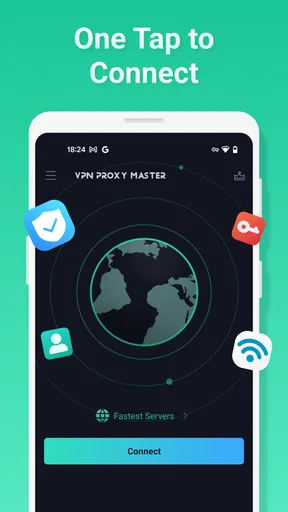
The basic workflow is easy to understand: open the app, choose to connect, and then use the phone as usual. That makes it practical for short sessions, such as checking email while waiting at a café, as well as longer browsing sessions at home. If I’m moving between networks, I’d make a habit of checking that the VPN is connected instead of assuming it has stayed active. A connection indicator is only useful when I actually look at it.
One helpful habit is to decide in advance when I need the VPN, rather than leaving it on automatically without thinking about the trade-offs. For example, I might connect before joining public Wi-Fi, then disconnect when I’m back on a trusted network if I notice that a particular app behaves badly through the tunnel. This simple routine makes it easier to spot whether a connection issue is caused by the VPN or by the network itself.
Worth Reading Before You Choose

Baby Panda World Brings Quick Play to Modern Phones, but Its Game Library Feels Busy

ESPN’s Live Game View Makes Following Close Games Easier

QuizzLand Review: A Good Fit for Short Trivia Breaks, Not Every Player

Basketball Stars: Multiplayer Is Fast, but Can It Recover When Matches Go Wrong?

WEBTOON Turns Phone Updates Into a Better Reading Routine

Link to Windows Runs on Shared Habits, Not Social Feeds
Where it makes the most sense
Picture a familiar situation: I’m waiting for a train, connect to the station’s public Wi-Fi, and need to check a travel confirmation or send a message. A VPN can give me an additional layer between my device and that shared network. I would still avoid treating it as a guarantee of safety, and I’d use the official app or website for anything important, but switching on a private connection is a reasonable extra step when I don’t control the Wi-Fi.
It can also suit someone who wants a quick, repeatable way to route ordinary browsing through a VPN without learning how to configure a connection manually. The benefit is convenience; the sensible expectation is better connection privacy, not complete anonymity or protection from every online risk. If I’m handling work data or need specific security assurances, I’d first check that the service meets those requirements rather than relying on a general-purpose phone app by default.
What to weigh before relying on it
A VPN can affect how some apps connect. Banking, shopping, and streaming services may react differently when traffic appears to come through a VPN, and a page that usually loads quickly may take longer or ask for extra verification. If something stops working, I’d test the same task with the VPN disconnected, then reconnect afterward. That small comparison is often more useful than repeatedly changing settings without knowing what caused the problem.
There is also a difference between a VPN and a complete privacy solution. A VPN can route your connection, but it cannot prevent you from entering personal details on a deceptive site or make a logged-in account anonymous. I would not use it as a reason to ignore browser warnings, share less carefully, or assume that every network-related risk has disappeared. The most trustworthy approach is to understand what the tool does and keep the rest of your security habits in place.
The app is free to install, with in-app purchases ranging from $0.99 to $79.99 per item. I’d begin with the free offering and pay only if I had a clear reason to use a paid option. Before buying, check what the particular purchase unlocks in the app and whether it suits your needs; a VPN subscription is poor value if you only need occasional protection on public Wi-Fi. The range of possible purchase prices also makes it worth reviewing the checkout details carefully rather than tapping through on autopilot.
How it compares with other ways to use a VPN
Compared with configuring a VPN manually through a phone’s system settings, an app-led approach is generally easier for someone who wants to get connected with less setup. The trade-off is that a simple workflow may offer less hands-on control than a service chosen specifically for advanced configuration. If you need to manage detailed network rules or meet a workplace’s requirements, a VPN recommended by your IT team or a service with clearly documented controls may be a better fit.
Compared with browsing without a VPN, the app gives you a way to route your connection through a VPN rather than relying only on the public network you joined. But it should not be confused with a private browser, an ad blocker, or antivirus software: those solve different problems. If your main frustration is unwanted ads, a browser-level tool may address it more directly. If you want protection against malicious downloads, you need security measures designed for that risk as well.
Who is likely to get the most from it
I’d consider it for someone who regularly uses shared Wi-Fi, wants a straightforward way to start a VPN, and doesn’t need to fine-tune a lot of technical settings. Its free entry point makes it easier to try the basic experience before deciding whether a paid option is worthwhile. It may also suit a less experienced phone user who values a clear connect-and-browse routine over a more involved setup.
I’d skip it, or at least compare alternatives first, if I needed a VPN for a specific employer, a carefully defined privacy setup, or a service whose policies and technical details I had evaluated in depth. It may also be a poor match if a VPN regularly disrupts the apps I rely on and I’m unwilling to troubleshoot by testing connections. In those cases, a provider selected for the particular requirement—or simply using a trusted network without a VPN when appropriate—can be the more practical choice.
One useful way to test whether it fits is to try the same everyday task both with the VPN connected and disconnected: load the pages you use most, check whether sign-ins work normally, and notice whether the connection remains comfortable for your routine. That isn’t a formal speed test, but it helps reveal compatibility issues that matter more than a general claim about performance. I’d make this check before depending on any VPN for an important appointment or time-sensitive task.
My take on the overall experience
What I value most in a VPN app is a low-friction way to make a deliberate connection choice. VPN Proxy Master is aimed at that everyday use: the app is free to start, has a broad user base, and presents VPN access as something a regular phone user can try. I’d approach it as a practical connection tool, not as a promise that every online activity becomes private or that every app will behave exactly as it does without a VPN.
If you want a simple place to begin, it’s reasonable to try the free version, check how your usual apps behave, and decide whether the connection is useful enough to justify any purchase. If you need advanced control or a particular level of assurance, take time to compare services before relying on one. My recommendation is therefore conditional: it can suit everyday browsing and public Wi-Fi use, provided you keep realistic expectations and treat the VPN as one layer of a broader approach to staying safe online.
First off, the setup for VPN Proxy Master is a breeze. Whether you're on Android or iOS, downloading and installing is straightforward. No tech wizardry required; it's as simple as downloading, installing, and hitting connect. Within minutes, you're ready to surf the web securely. The user-friendly interface is a big plus, especially if you're not super tech-savvy.
Speed and Performance: No More Buffering
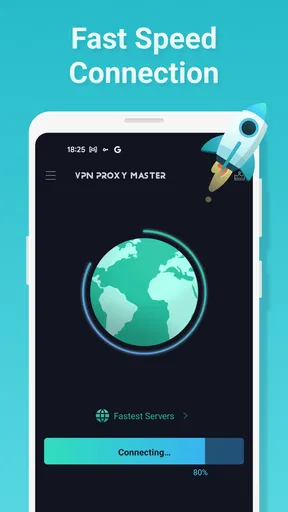
Let's talk speed. A common gripe with VPNs is the sluggish connection, but not here. I was pleasantly surprised by how fast my connection remained. Streaming videos, downloading files, or just general browsing—everything was smooth sailing. No more waiting for videos to buffer, which is a game-changer for binge-watchers like me.
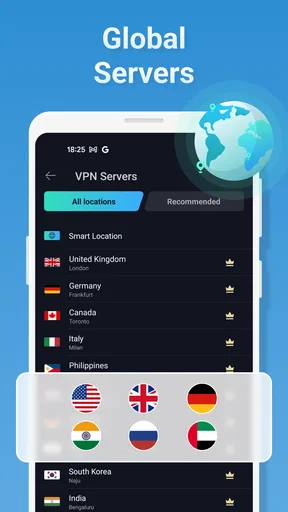
While testing, I could easily switch between servers without any noticeable drop in speed. This is crucial, especially if you're accessing content from different regions. With servers in over 40 countries, you’ve got options galore, whether you’re trying to access a show not available in your region or just want to browse securely.
Security Features: Solid as a Rock
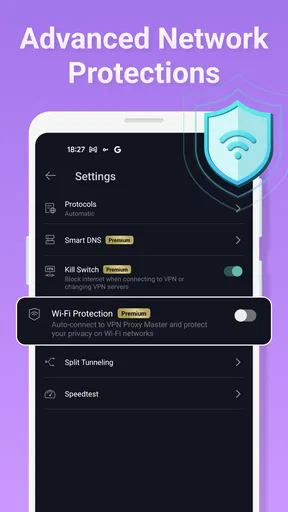
Security is where VPN Proxy Master shines. It employs military-grade encryption, which is a fancy way of saying your data is locked up tighter than Fort Knox. This is crucial when you're connected to public Wi-Fi networks, notorious for being a hacker's haven.
Moreover, it has a no-log policy. In layperson terms, they don't keep track of your online activities. What you do online is your business, and VPN Proxy Master respects that. This feature is a big draw for privacy enthusiasts who value anonymity.
Compatibility and Support: All Bases Covered
Whether you’re on a smartphone, tablet, or even a smart TV, compatibility isn’t an issue. VPN Proxy Master works seamlessly across different devices, ensuring you’re protected no matter what screen you’re on. I tested it on my phone and tablet, and the experience was consistently reliable.
The customer support is worth mentioning too. Whenever I had questions, their support team was prompt and helpful. It's reassuring to know that help is just a click away if you run into any issues.
User Experience: Smooth and Intuitive
One of the standout features of this app is its intuitive design. Navigating through the app is straightforward, with everything neatly organized. You won't find yourself lost in a maze of settings. It’s designed with the user in mind, making it accessible for everyone, not just tech aficionados.
Plus, the app's minimalistic design keeps things clutter-free, focusing on functionality rather than flashy graphics. It's the perfect balance of form and function.
Wrapping It Up
So, is VPN Proxy Master worth the download? In my opinion, absolutely. It's a robust VPN solution that ticks all the boxes: speed, security, ease of use, and excellent support. Whether you’re looking to stream content from abroad or just want to keep your data safe from prying eyes, this app has you covered.
With a free version available, there’s no reason not to give it a try. And if you find yourself loving it as much as I did, upgrading to the premium version unlocks even more servers and features. So, go ahead and download VPN Proxy Master—your online security is about to get a whole lot stronger.
Pros
- Fast connection speeds enhance browsing.
- User-friendly interface for easy navigation.
- Wide range of global servers available.
- No registration required for basic use.
- Effective encryption ensures data privacy.
Cons
- Free version includes ads.
- Limited features in free version.
- Some servers may have slower speeds.
- Occasional connection drops.
- Premium plan can be pricey.
FAQs for VPN Proxy Master - Safer Vpn
What platforms is VPN Proxy Master available on?
VPN Proxy Master is available on both Android and iOS platforms, making it accessible to a wide range of mobile users. It supports multiple versions of these operating systems, ensuring compatibility with most smartphones and tablets. Users can download it directly from the Google Play Store or the Apple App Store.
Is VPN Proxy Master safe to use for online privacy?
Yes, VPN Proxy Master is designed to enhance online privacy by encrypting your internet connection. It masks your IP address to protect your identity and data from potential cyber threats. However, users should always check the app's privacy policy to understand how their data is managed and stored.
Does VPN Proxy Master offer a free version?
VPN Proxy Master does offer a free version with basic features. However, the free version may have limitations such as fewer server options and slower connection speeds. For enhanced features, faster speeds, and more server locations, users can upgrade to the premium version through in-app purchases.
How does VPN Proxy Master affect internet speed?
While VPN Proxy Master aims to provide fast connections, using any VPN service can potentially slow down your internet speed due to encryption and routing through remote servers. However, the premium version of the app is optimized to minimize speed loss, offering a better browsing experience compared to the free version.
Can VPN Proxy Master unblock geo-restricted content?
Yes, VPN Proxy Master is effective in unblocking geo-restricted content, allowing users to access websites and streaming services unavailable in their region. By connecting to a server in a different country, users can bypass local restrictions and enjoy a wider range of online content.


